Group expense splitting

Splitting, made easy.

Im In Expensive settles up between friends, family, roommates and travel groups. You log who paid what, the app shows who owes whom.

Get it on AndroidComing soon to iOS

Free · No card · Works offline

Im In Expensive screenshot showing group balances
For every group

Which group are you in?

Im In Expensive works equally well for a weekend trip and for the apartment you share all year.

  • Trips with friends

    Who paid the Airbnb, who covered dinner on day two, who got the tickets. When you get back, the app already tells you how to settle up.

  • Roommates and shared homes

    Internet, groceries, laundry. Each month the app calculates who owes whom — no chasing required.

  • Couples and shared lives

    Track shared expenses without it feeling like asking your partner. Full privacy: each of you sees only what you need.

  • Family and groups

    A gift between siblings, the monthly pot for the parents’ birthday, year-end dinner. The app coordinates for you.

  • Work teams

    After-office drinks, team outings, events. Everyone pays their part and the app settles up at the end.

What makes it different

Features the competition doesn’t offer

Unique things about Im In Expensive that change how splitting feels.

  • Private expenses

    Some expenses aren’t for the group. Each member’s personal ones stay invisible to the rest but count in your own budget. You decide what to share.

  • Ghost members

    Your brother doesn’t have the app and you want him in? Add him as a ghost member with name and emoji. When he signs up, his expenses sync automatically.

  • Flexible splitting

    Equal parts, percentage, exact amounts, "I’m treating this one", "everyone pays their own". Choose per expense, not per list.

  • Automatic multi-currency

    Pay in EUR on the trip, in COP at Monday’s dinner. The app converts at today’s exchange rate. Everything settles in your list’s currency.

  • Reads receipts from a photo

    Snap a photo of the receipt and the app extracts the amount on its own. Works with receipts from Spain, Colombia, Mexico, Italy, Argentina, USA and more.

  • Location per expense

    Auto-complete cities with country flag. Perfect for trips: a month later you remember exactly where you paid for each thing.

  • Works offline

    Log expenses without a connection. When you’re back online, everything syncs by itself. Nothing lost.

  • Recurring expenses

    Rent, internet, Netflix. Set them once and the app generates them every month automatically.

  • How much you spent

    Personal dashboard with charts: by category, by member, by month. Know your habits effortlessly.

  • Settle with one tap

    "Andres owes you 50 EUR" → tap → mark as paid → the debt closes. Methods: cash, Bizum, transfer, whatever works for you.

So easy you won’t need a tutorial

How to split group expenses with Im In Expensive

From creating the list to closing debts: 4 steps you’ll learn in less than a minute. Works for trips, shared homes, couples or any group.

  1. 01

    Create your list in 10 seconds

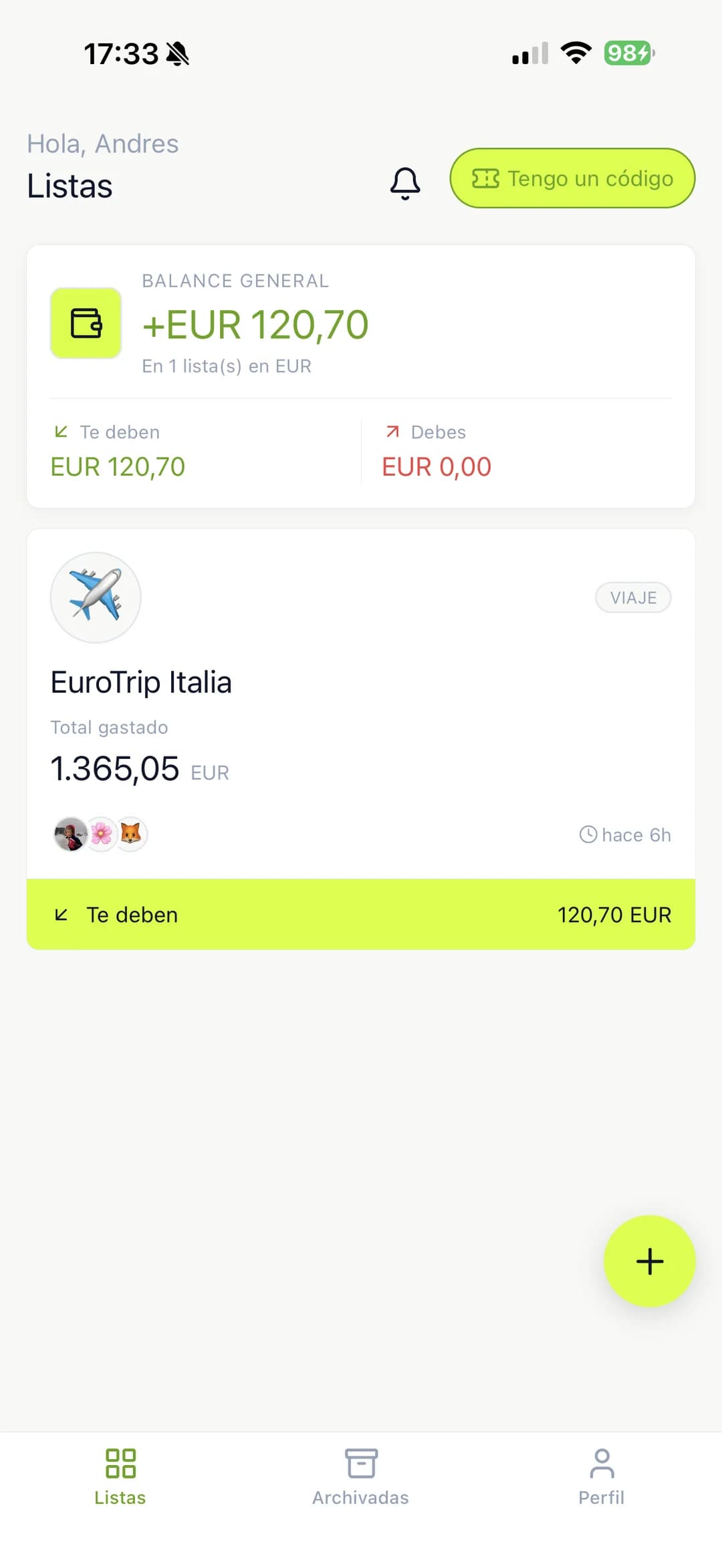
    A list is a group: the Cartagena trip, Andrés’ apartment, Saturday’s dinner. Give it a name, choose a main currency and you’re ready.

    • Invite by email, shareable link or WhatsApp
    • Someone doesn’t have the app? Add them as a ghost member with just a name — their expenses stay saved until they sign up
    • Pick the list mode: "trip" (closes at the end) or "home" (continues month after month)
    Im In Expensive screen for creating a new list
  2. 02

    Log each expense in 5 seconds

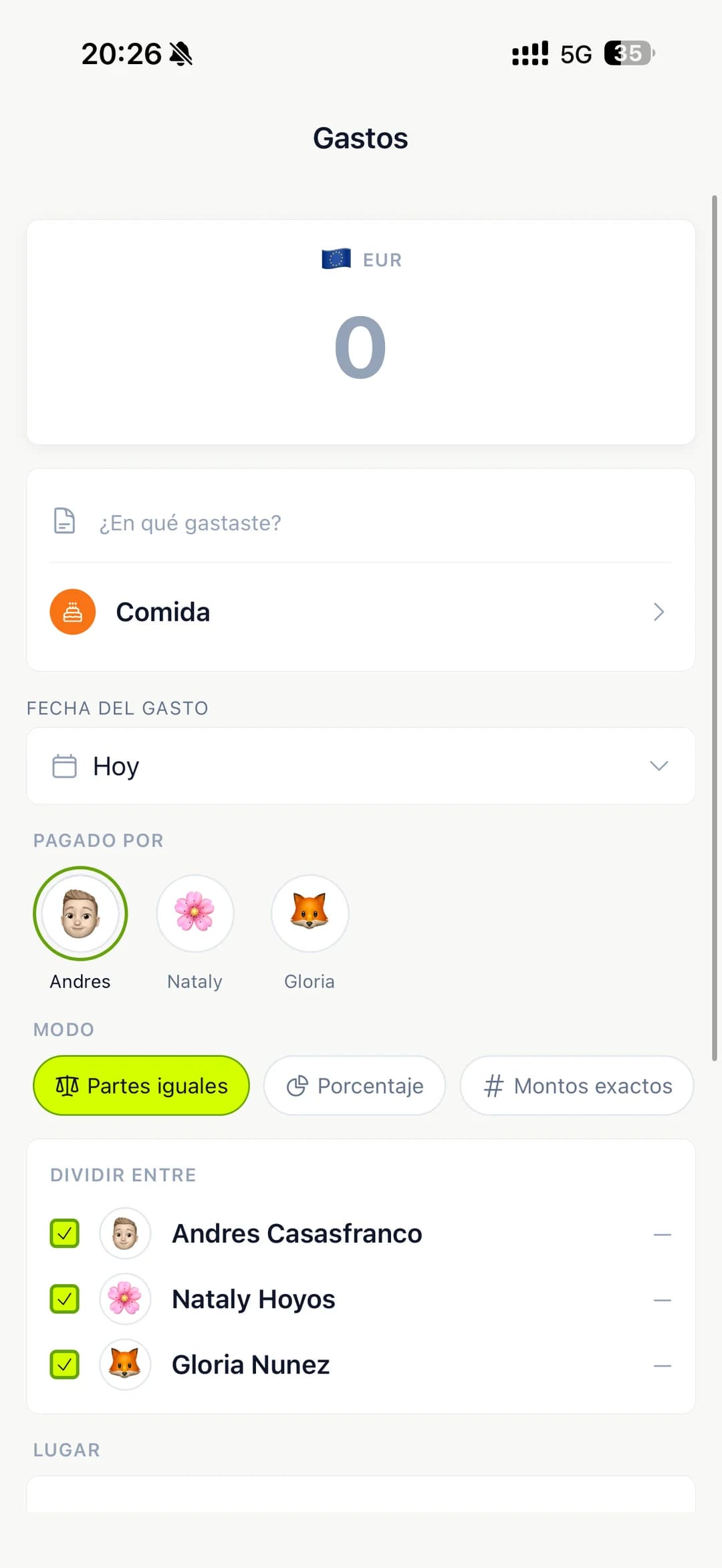
    When someone pays for something, log it: amount, who paid, how it’s split.

    • Five split modes per expense: equal, percentage, exact amounts, "I’m treating", "everyone pays their own"
    • Photo of the receipt → the app reads the amount automatically (Spain, Colombia, Mexico, Argentina, Italy, USA, Brazil)
    • Multi-currency: pay lunch in EUR and dinner in COP — the app converts at today’s exchange rate
    • Offline → save the expense and it syncs on its own when you’re back
    • Private expense → only you see it, doesn’t affect the group
    Im In Expensive logging an expense with a receipt photo
  3. 03

    See who owes whom in real time

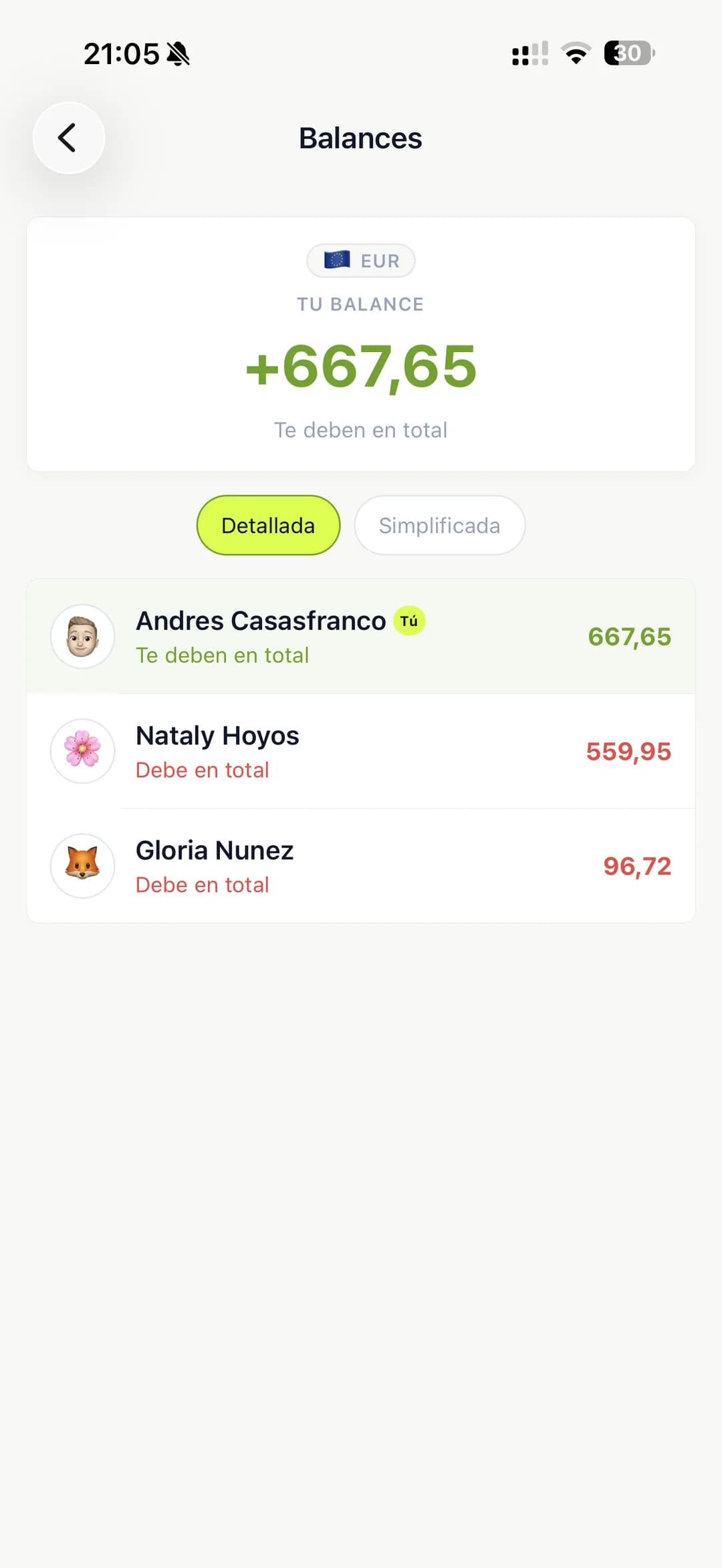
    The app updates balances on its own every time someone logs an expense.

    • Group-wide settle-up → minimizes the number of payments so everyone ends at zero
    • Or person-to-person debts → each debt explicit (great for homes or ongoing relationships)
    • Switch modes whenever you want without losing anything
    • Instant notifications when someone logs an expense, pays you or invites you
    Balances screen showing who owes whom in the group
  4. 04

    Settle with one tap and close the cycle

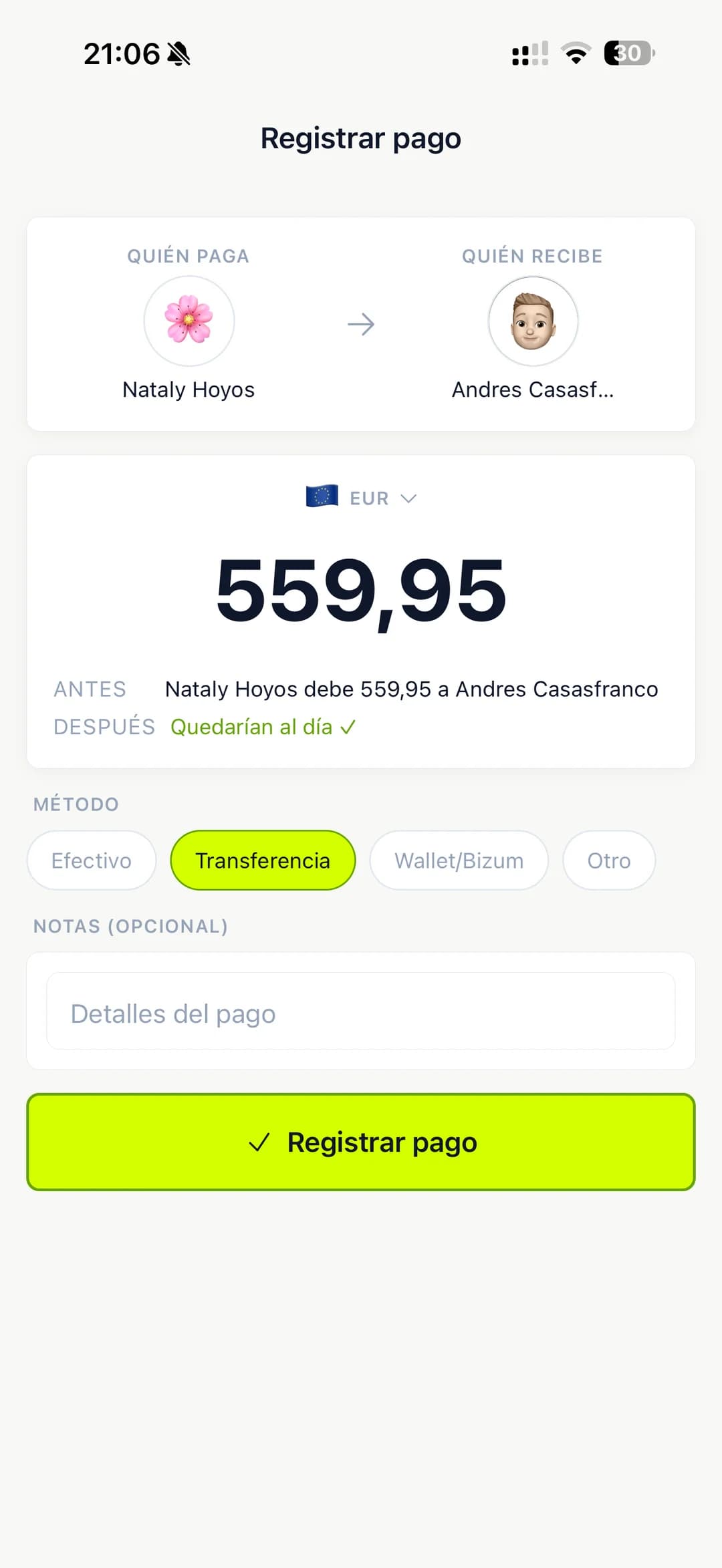
    When someone pays you, mark the debt as settled (cash, Bizum, transfer, anything).

    • Payment methods customizable per group
    • When you close the list (trip ended, month billed) everyone ends at zero
    • Recurring → rent, internet, Netflix are generated automatically every month
    • Visual summary → see how much you spent by category, month or member
    Settle-up screen and charts dashboard
Honest comparison

Im In Expensive, Splitwise, Tricount, or stick with Excel?

Each tool has its strengths. Here’s the feature-by-feature comparison, no inflated marketing, updated May 2026.

Im In Expensive, Splitwise, Tricount, or stick with Excel?
 Im In ExpensiveSplitwiseTricountExcel / Notion
Price and model
Free plan✅ 1 list, 200 expenses⚠️ Capped at 4 expenses/day since 2024✅ Unlimited on basic✅ Free
Pro planUSD 2.99/mo · USD 29.99/yrUSD 4.99/moEUR 2.99/mo (Premium)
Ad-free✅ Free and Pro❌ Ads on Free
Cancel anytime
People and groups
People without an account (ghost members)✅ With auto-sync on sign-up⚠️ Name only, no sync✅ Name only✅ Manual
Unlimited groups✅ On ProManual
Private expenses✅ Only you see themManual
Expense management
Split modes5 (equal / % / exact / treat / each their own)43Manual
Multi-currency with auto FX✅ Daily exchange rate⚠️ Pro only❌ Manual
Automatic receipt reading (photo)✅ Multi-country⚠️ Pro only, limited
Categories with icons⚠️ BasicManual
Automatic recurring expenses⚠️ Pro onlyManual
Location per expense✅ City autocompleteManual
Balances and settle-up
Group-wide settle-up✅ Switch modes anytime
Person-to-person debts✅ Switch modes anytimeManual
Real-time notifications✅ + offline recovery⚠️ Limited
Works offline✅ Syncs on reconnect⚠️ Read-only
Visual summary
Personal dashboard with charts✅ By category/month/member⚠️ BasicManual
Export to CSV/PDFNative
Localization
Native Spanish (ES + LatAm)⚠️ Machine translation✅ Spain Spanish
Multi-country LatAm support⚠️⚠️
PlatformsAndroid · iOS (soon)Android · iOS · WebAndroid · iOS · WebAny device

Comparison based on free and paid versions of each app as of May 2026. Data verified on Splitwise and Tricount official sites. Found something outdated? Write to soporte@inteligenciacorporativa.com.

Coming from Splitwise…

You were probably frustrated by the 4-expenses-per-day free cap they introduced in 2024. Im In Expensive gives you 200 expenses per list for free, no ads, and adds private expenses and ghost members with auto-sync — two things Splitwise doesn’t offer even on Pro. Direct Splitwise import is on the roadmap; meanwhile, export your Splitwise CSV and upload the expenses in bulk.

Coming from Tricount…

Tricount works well for one-off trips, but falls short on ongoing use: no recurring expenses, no receipt reading, no private expenses. Im In Expensive covers both scenarios (trip + shared home) without having to switch apps when you get back from the trip.

Still using Excel, Notion or paper…

You’re not alone: many groups still track expenses in Excel or phone notes. The problem isn’t Excel, it’s that someone has to maintain it and nobody wants to. Im In does that for you: it calculates balances, sends reminders, converts currencies. Your Excel is still yours — export to CSV anytime.

Transparent pricing

Start free. Upgrade to Pro when you need it.

No commitment, no surprises. Your data stays with you always.

Free

USD 0per month
  • 1 active list
  • 200 expenses per list
  • All features (private, ghost members, receipt reading, multi-currency)
  • Ad-free
Start free
Pro

Pro

USD 2.99per month · USD 29.99/year (save ~16%)
  • Unlimited lists
  • Unlimited expenses
  • Priority support
  • Beta features first
Try Pro 7 days

Cancel anytime. Your data stays with you always.

What current users say

Real groups, clear accounts

We got back from Lisbon and in 2 minutes we knew exactly who owed whom. Better than our 5-hour Excel.
Lucía R., designer · Madrid
My roommates and I stopped fighting over the monthly accounts. The app does the boring work.
Daniel M., developer · Bogotá
My favorite part is private expenses. I can log my own purchases without my group seeing them.
Marina F., journalist · Buenos Aires
Frequently asked questions

Everything you wanted to know before downloading

  • Yes. You have one active list and up to 200 expenses per list totally free. If you need more, you can upgrade to Pro for USD 2.99/month (or USD 29.99/year with savings) for unlimited lists and expenses.

Time for your group to stop fighting over money.

Download for free and start logging expenses in 30 seconds.

Get it on AndroidComing soon on iOS

No card · No spam · Your data stays with you